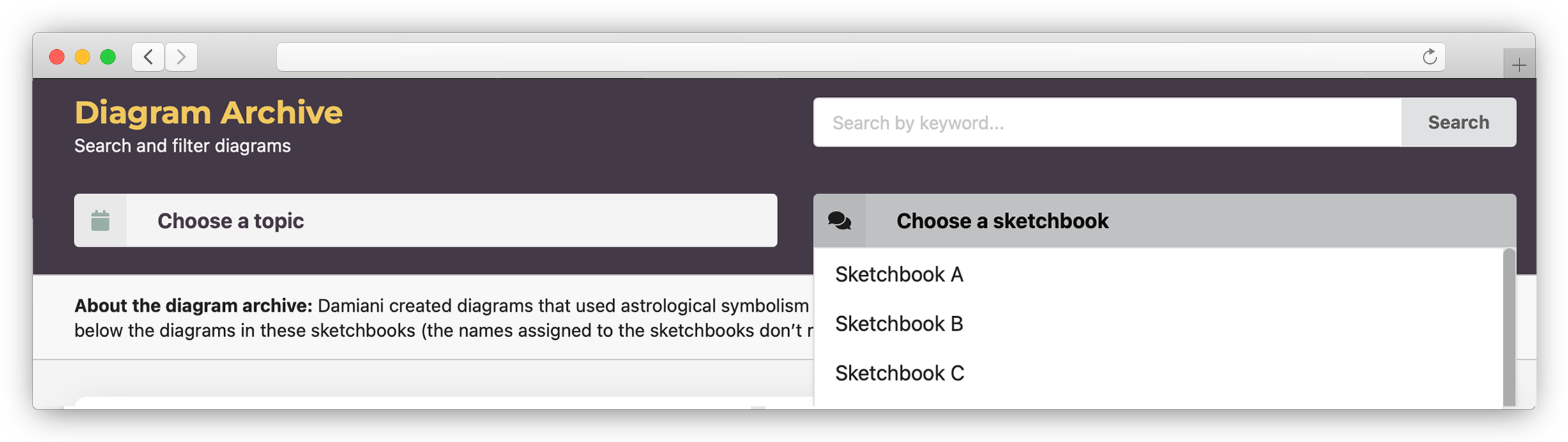
You can search by topic or sketchbook name. If you search by topic, you will get a list of diagrams in order by sketchbook name (which are capital letters from A to P) and sequence number, with thumbnail images of the diagram to the left of each record. Each record will display the image ID, title, topic, and keywords.
If you search by sketchbook, you will get a list of all the diagrams in that sketchbook, in ascending ID order, with thumbnail images of the diagram to the left of each record. Each record will display the image ID, title, topic, and keywords.
You can also search the entire diagram archive by typing in a word or phrase in the keyword search. The keyword search searches the metadata for the diagrams—image ID, title, topic, type (that is, whether the image is a diagram, grid, handwritten text, or preliminary drawing), and keywords. The search is not case sensitive. If you notice a keyword used in a diagram you are interested in, you might try searching the diagram archive using that keyword.
Once you select a diagram to view, you will see a larger image, with some additional information about the diagram, including a note about the particular astrological symbols used in it. For more information about the kind of information found in the notes, see Diagram notes. If you click that image, you can view the full-resolution image, which opens in a new window. You will also be able to download the high-resolution image, if you wish.
If you choose to view a sketchbook, once you have clicked on an image, you will have the option of moving forward and backward in the sketchbook without having to return to the list of diagrams in that sketchbook.